Guide to Using ALGO Proxy with Hidemium
What is Hidemium?
Hidemium is an anti-detect browser software that helps you create and manage multiple online accounts (Facebook, eBay, Amazon, Etsy, Coin/Airdrop, etc.) on the same computer.
Download and Installation Guide
After downloading, run the installer and follow the simple steps. Create an account and log in to start using it.
Guide to Using ALGO Proxy with Hidemium
After logging in, you will see the interface as shown below. Click (+) Add Profile to create a new profile.
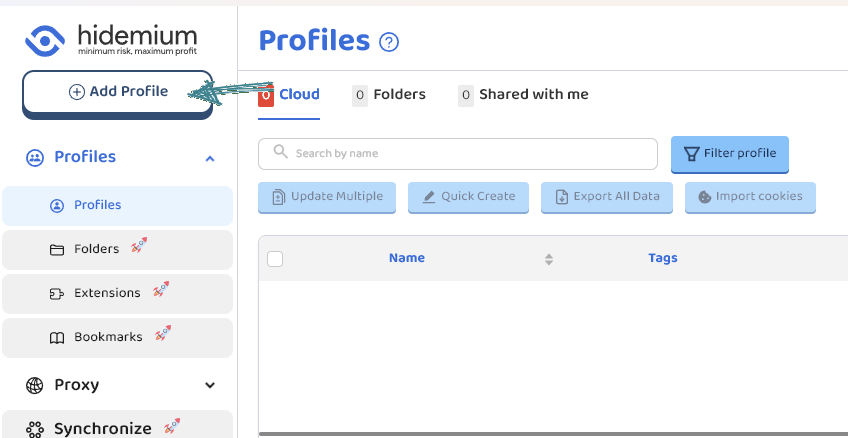 Customize the settings according to your needs. Since this is a proxy setup guide, we will go directly to that section.
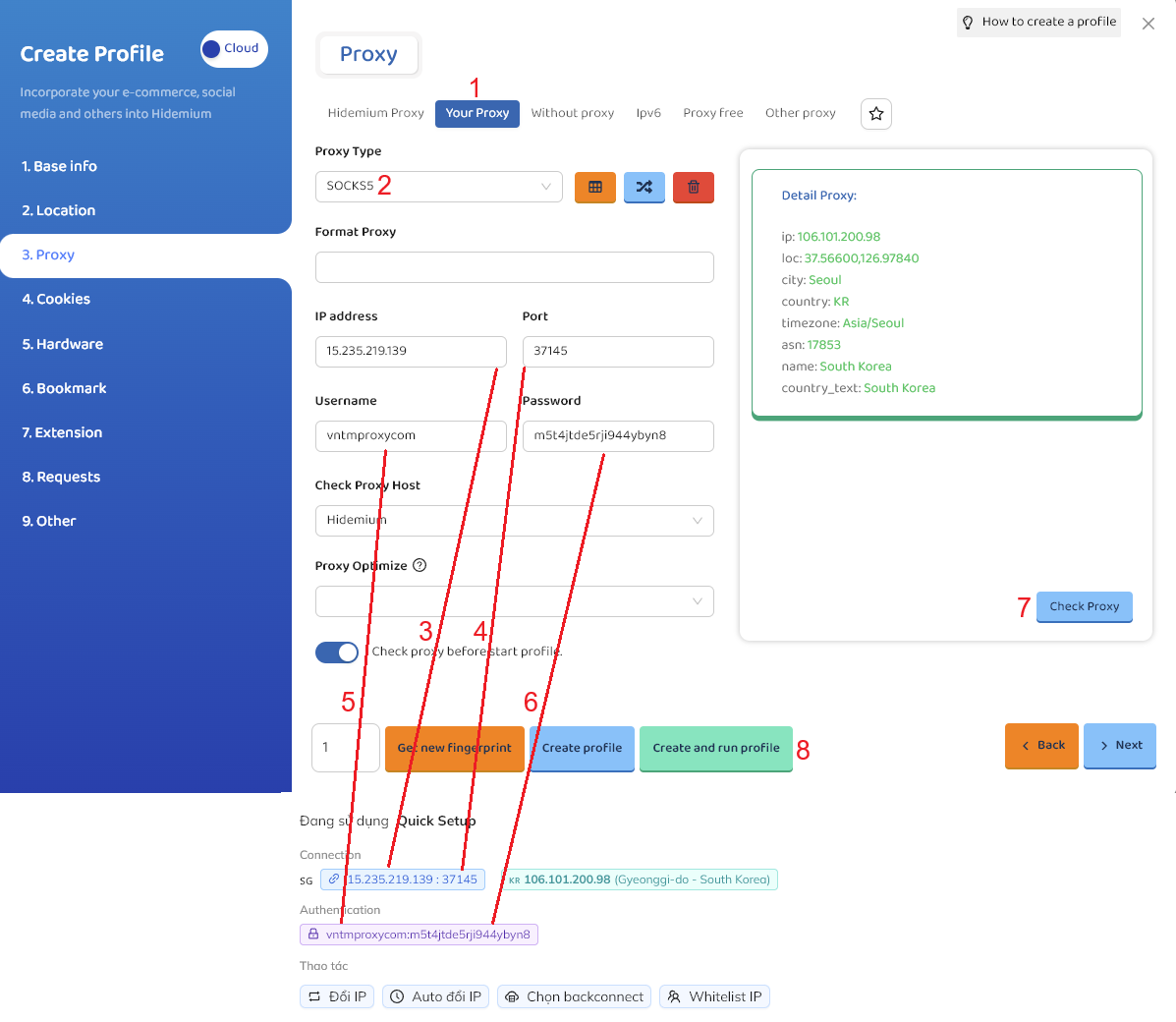
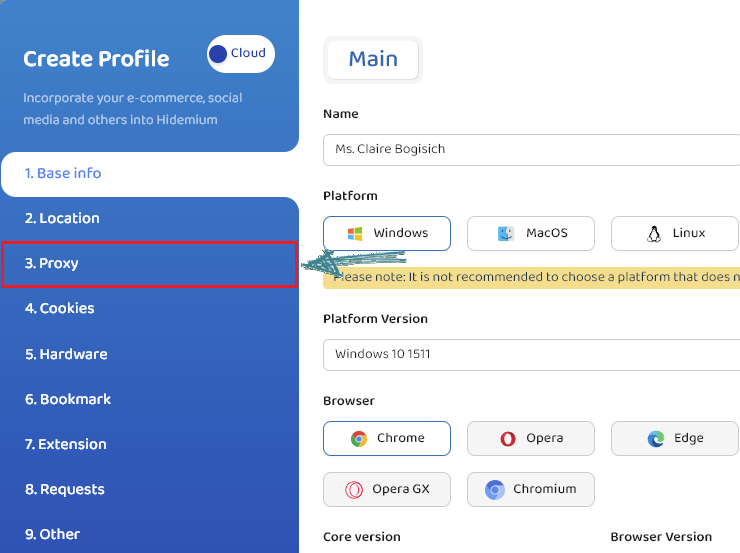 Follow the steps below:
- Select “Your proxy”
- Select “Socks5” or “Http”. In this example, we select “Socks5”
- Proxy IP
- Proxy Port
- Proxy Username
- Proxy Password
- After filling in all the proxy information, click “Check Proxy” to verify
- Select “Create profile” or “Create and run profile”
See the detailed steps in the image below.
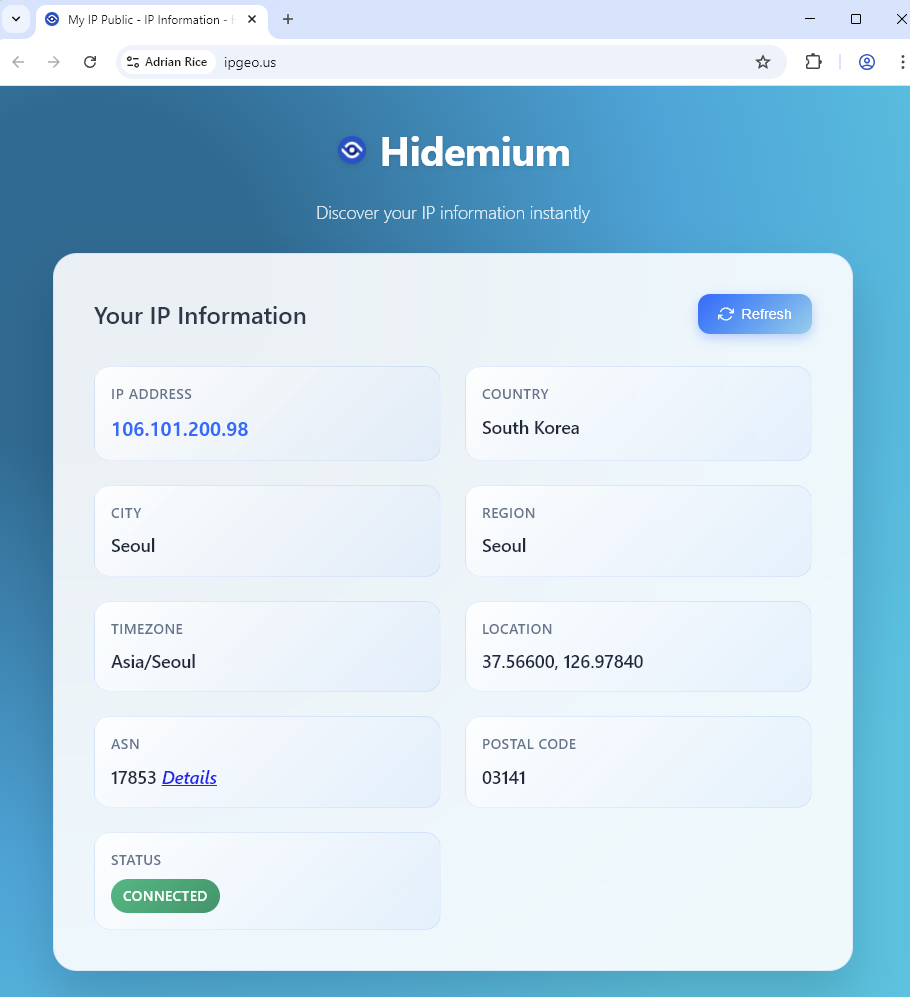
 A result like this means the setup is successful.
That concludes the guide on Using ALGO Proxy with Hidemium. Good luck!
Disclaimer:
ALGO Proxy is not affiliated with the developers of Hidemium. This guide is for informational purposes only.