Guide to Using ALGO Proxy with SSTap
What is SSTap?
SSTap is a software used to set up proxy for the entire computer system, applicable to all applications and browsers.
Download and Installation Guide
Guide to Using ALGO Proxy with SSTap
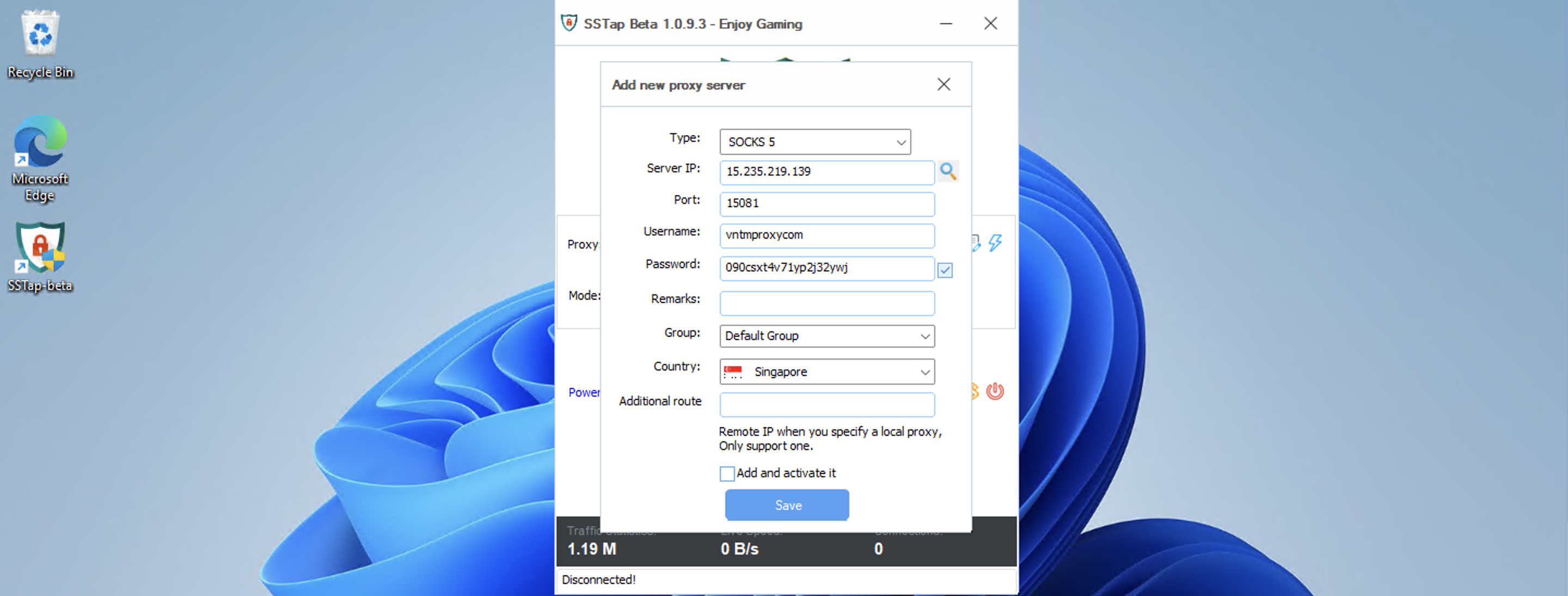
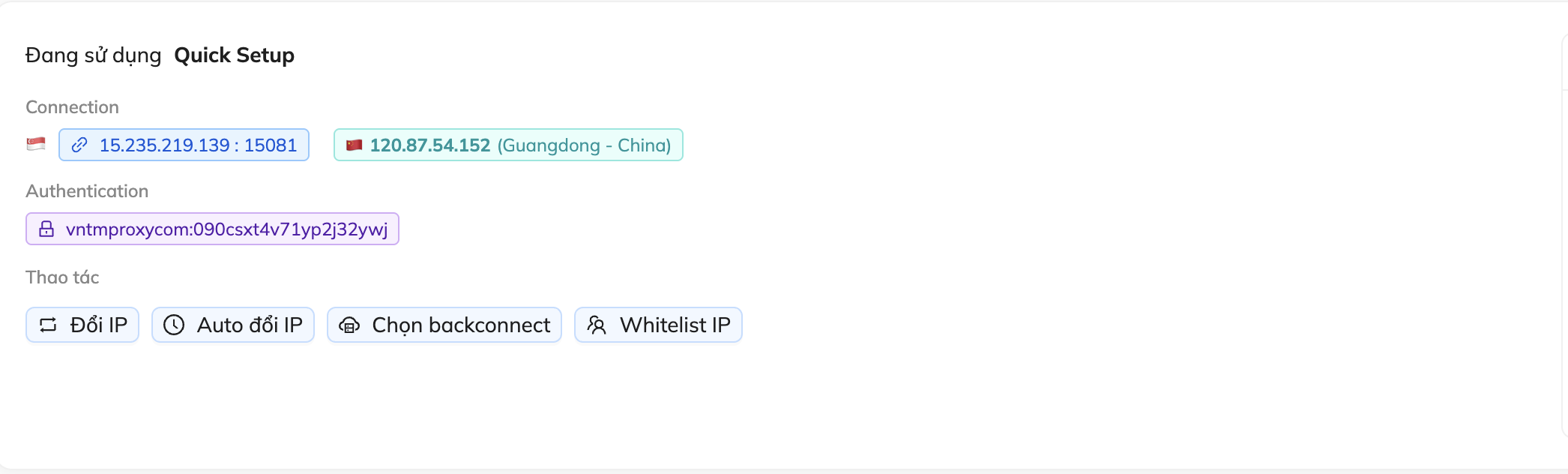
After installation, open the software. Click the + icon → Add SOCKS5 Proxy. Fill in the proxy information as shown in the image below, then click Save. Finally, click CONNECT.
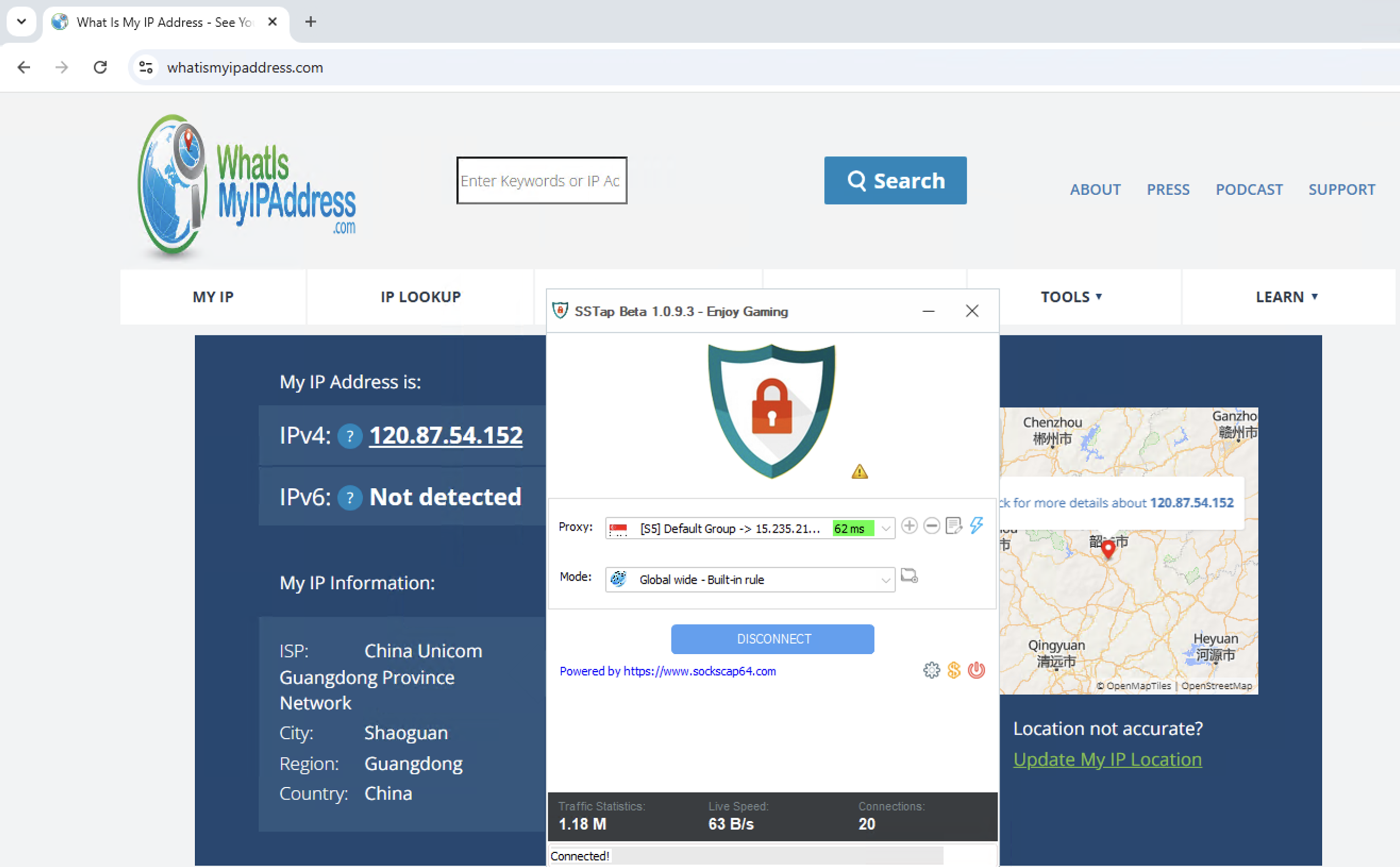
Visit https://whatismyipaddress.com/ to verify the result. If your IP matches the IP shown on our website, the setup is successful.
That concludes the guide on Using ALGO Proxy with SSTap. Good luck!
Disclaimer:
ALGO Proxy is not affiliated with the developers of SSTap. This guide is for informational purposes only.