Guide to using TMProxy Manager with Hidemium
Why use TMProxy Manager with Hidemium?
TMProxy Manager helps fix the proxy IP address to a single unique address. It is suitable for managing multiple profiles on Hidemium.
Visual guide to using TMProxy Manager with Hidemium
Hidemium Download and Installation Guide
Download and extract the software suitable for your operating system below
After downloading, run the installation file and follow the simple steps like installing other software. Create an account and log in to use.
Guide to using TMProxy Manager with Hidemium
After logging in, you will see the interface below.
Click “(+) Add Profile” to add a new Profile.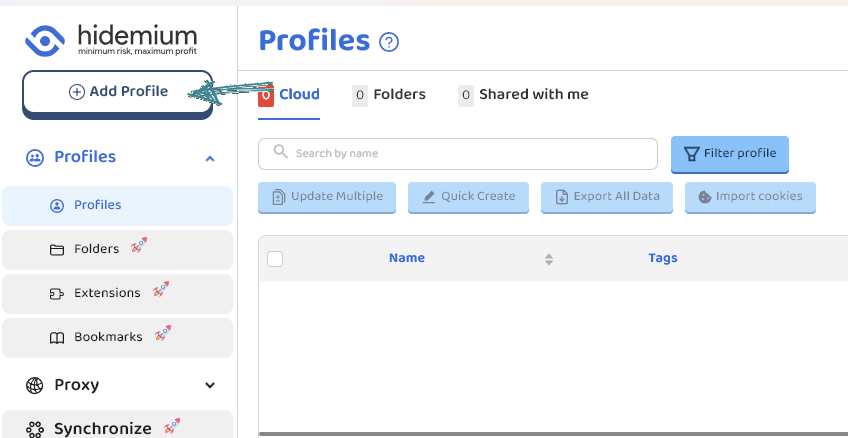 Customize the parameters to fit your usage needs. Since this is a proxy usage guide, I will skip directly to that section.
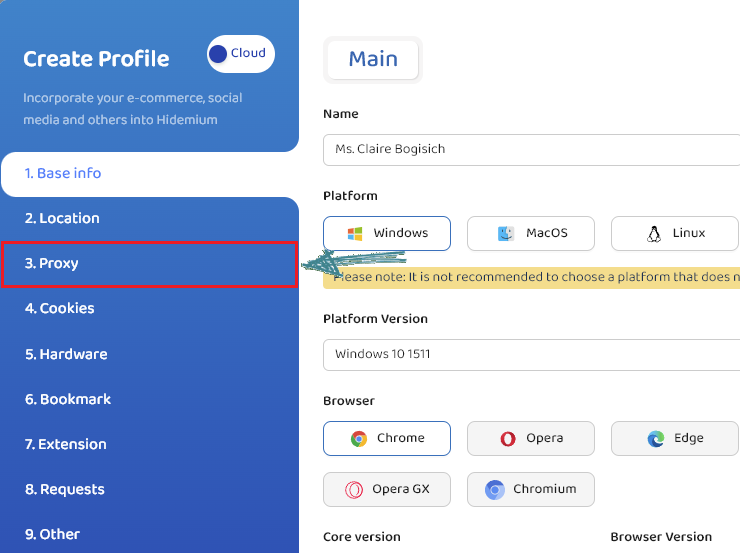 Follow the steps below:
- Select “Your proxy”
- Select “Socks5” or “Http”. Here I choose “Socks5”
- Proxy IP
- Proxy Port
- After entering full proxy info, click “Check Proxy” to verify
- Select “Create profile” or “Create and run profile”
- Detailed steps are in the image below.
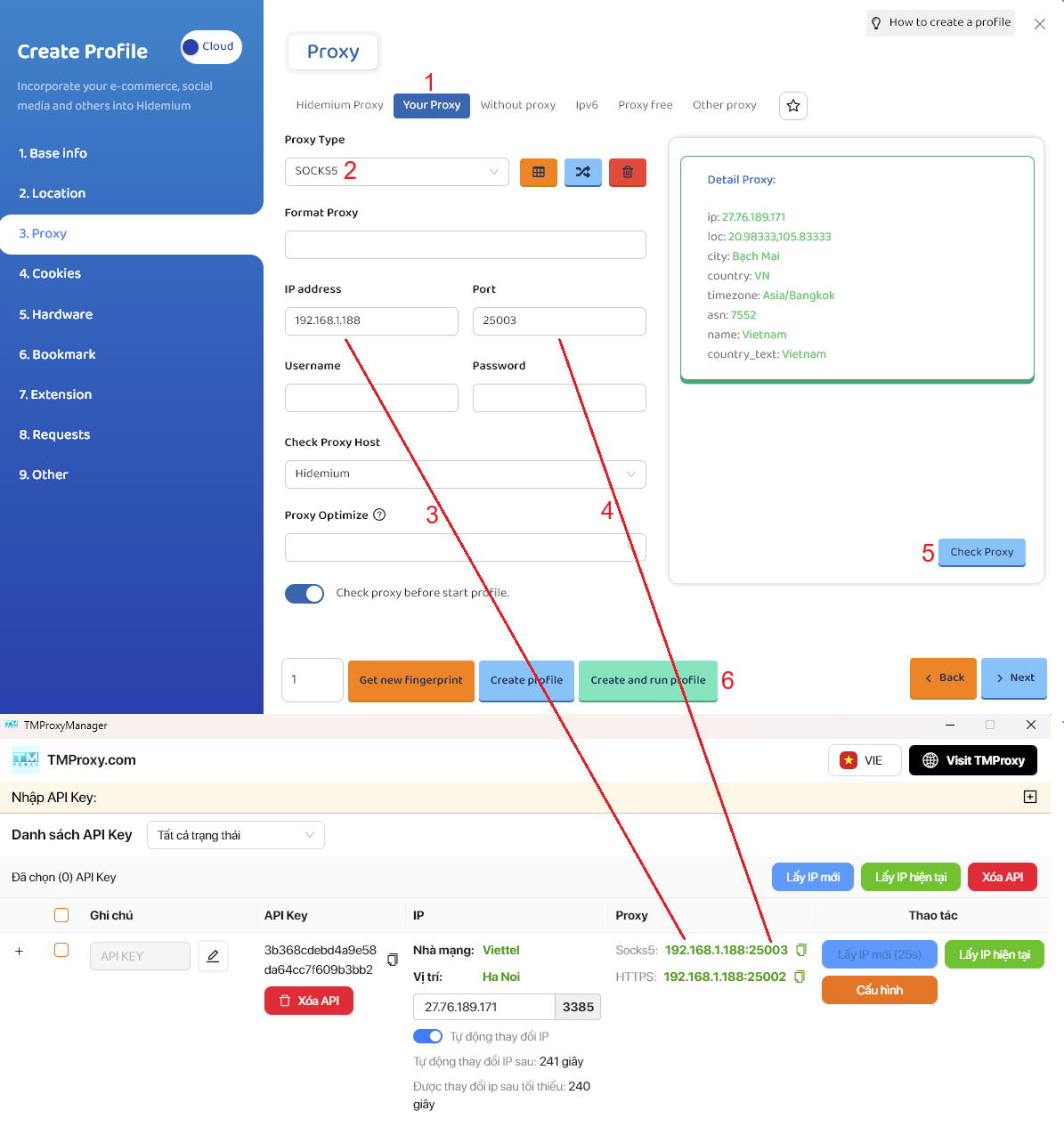
- A result like this means success.

Above is the article How to use TMProxy Manager with Hidemium. It is quite simple; you can experience other functions that we haven’t covered yet. Wish you success!
In addition, we have many instructions for using http proxy / socks5 on various software and tools. Please click the link https://docs.tmproxy.com/guide/
Disclaimer:
TMProxy is not affiliated with the developers of Hidemium. This guide is for informational purposes only.
Start with us at:
- website: https://tmproxy.com/
- Fanpage: https://www.facebook.com/TMProxy